


Digital Times Nigeria
  • Home
  • Telecoms
    • Broadband
  • Business
    • Banking
    • Finance
  • Editorial
    • Opinion
    • Big Story
  • TechExtra
    • Fintech
    • Innovation
  • Interview
  • Media
    • Social
    • Broadcasting
Facebook X (Twitter) Instagram
Trending
  • Nigeria’s New Tax Laws Could Create The World’s First AI-Native Tax System
  • Abia Government To Host Business Roundtable 2026
  • NDPC, 60 Global Regulators Back AI Imagery Privacy Statement
  • TD Africa, Cisco, Arravo Host C-Level Event On Secure, Intelligent Networking
  • IWD 2026: PalmPay Expands Purple Woman 3.0 To Equip 100 Young Women With Job-Ready Tech Skills
  • Konga Kicks Off ‘Berekete Sales’ With Up To 50% Discounts Across Major Categories
  • Abia Unveils Digital Payment Card For Green Shuttle Buses
  • NICA Confers Fellowship On Polaris, Union Bank CEOs, Other Financial Sector Leaders
Facebook X (Twitter) Instagram
Digital Times NigeriaDigital Times Nigeria
  • Home
  • Telecoms
    • Broadband
  • Business
    • Banking
    • Finance
  • Editorial
    • Opinion
    • Big Story
  • TechExtra
    • Fintech
    • Innovation
  • Interview
  • Media
    • Social
    • Broadcasting
Digital Times Nigeria
Home » Explore Your Payment Option On The PalmPay App 
SPONSORED

Explore Your Payment Option On The PalmPay App 

DigitalTimesNGBy DigitalTimesNG28 August 2024No Comments2 Mins Read89 Views
Facebook Twitter Pinterest Telegram LinkedIn Tumblr WhatsApp Email
Payment
PalmPay Payment Options
Share
Facebook Twitter LinkedIn Pinterest Telegram Email WhatsApp

Just before you complete your payment, have you taken the time to look at your payment options? If you have not, this is for you!

In our fast-paced world, there are details we naturally ignore due to urgency. Imagine making a call and your airtime finishes, the first thing you want to do is to quickly top-up your airtime within the minute to return to the call. 

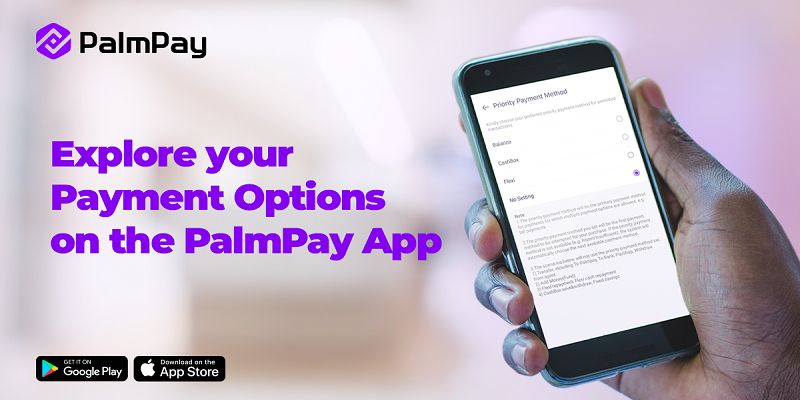
To make payment seamless, PalmPay has an in-app payment feature called Priority Payment Method, that eases transactions. 

What is the Priority Payment Method?

The feature allows you to choose the primary payment method for which multiple payment options are allowed, such as airtime/data top-up and bill payments. 

What you need to know?

  1. Your selection will be the first option for airtime/data top-up and bill payment.
  2. The feature does not apply to transfers, PayShop, withdrawal, savings and the likes. 
  3. If your set priority payment method is not available, the system will automatically choose the next available payment method. 

How to Set Your Priority Payment Method

  1. Open the PalmPay app and go to Settings
  2. Click ‘Payment Setting’
  3. Select ‘Priority Payment Method’
  4. Choose the Priority Payment Method that suits you best!


As always, you can reach out to PalmPay via social media for customer support. 

READ ALSO  PalmPay Unveils ‘Passing The Baton’ CSR Initiative To Drive Financial Inclusion In Northern Nigeria
#PalmPay #PalmPay App #Payment Option
Share. Facebook Twitter Pinterest LinkedIn Tumblr Email
Previous ArticleOver 153m SIMs Linked To NIN As NCC Sets Sept. 14, 2024, Deadline For NIN-SIM Linkage
Next Article IT Horizons, CEBAR Partner For Abuja Educators Conference 2024
DigitalTimesNG
  • X (Twitter)

Comments are closed.

Categories
About
About

Digital Times Nigeria (www.digitaltimesng.com) is an online technology publication of Digital Times Media Services.

Facebook X (Twitter) Instagram
Latest Posts

Nigeria’s New Tax Laws Could Create The World’s First AI-Native Tax System

4 March 2026

Abia Government To Host Business Roundtable 2026

4 March 2026

NDPC, 60 Global Regulators Back AI Imagery Privacy Statement

4 March 2026
Popular Posts

Building Explainable AI (XAI) Dashboards For Non-Technical Stakeholders

2 May 2022

Building Ethical AI Starts With People: How Gabriel Ayodele Is Engineering Trust Through Mentorship

8 January 2024

Gabriel Tosin Ayodele: Leading AI-Powered Innovation In Web3

8 November 2022
© 2026 Digital Times NG.
  • Advert Rate
  • Terms of Use
  • Advertisement
  • Private Policy
  • Contact Us

Type above and press Enter to search. Press Esc to cancel.